99
Languages
Auto detection, or pick the language yourself. Two models to choose from: a fast one for 25 European languages and the most accurate one for 99.
Record or import audio and get text with punctuation and timecodes. Recognition runs on the device itself: no account, no uploads, no internet needed.
iPhone and iPad, iOS 18 or later. Runs on Mac with Apple silicon.
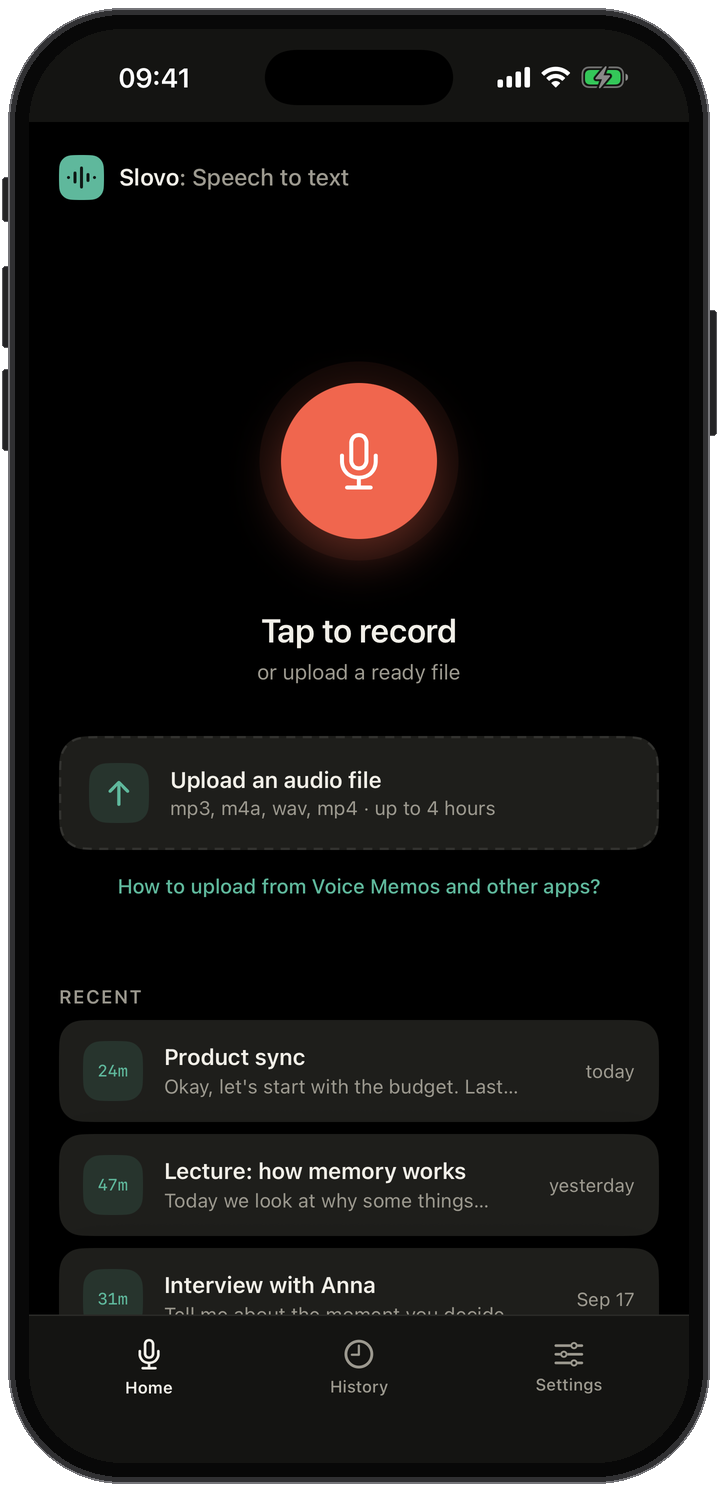
Slovo downloads a speech model once. After that the recorder, the neural network and the text all live on your device, with or without a connection.
Slovo recognizes speech right on your device: the recording and the transcript stay with you, and we never receive them or store them. Cloud services cannot do that — they upload your recording to their server and send a transcript back.
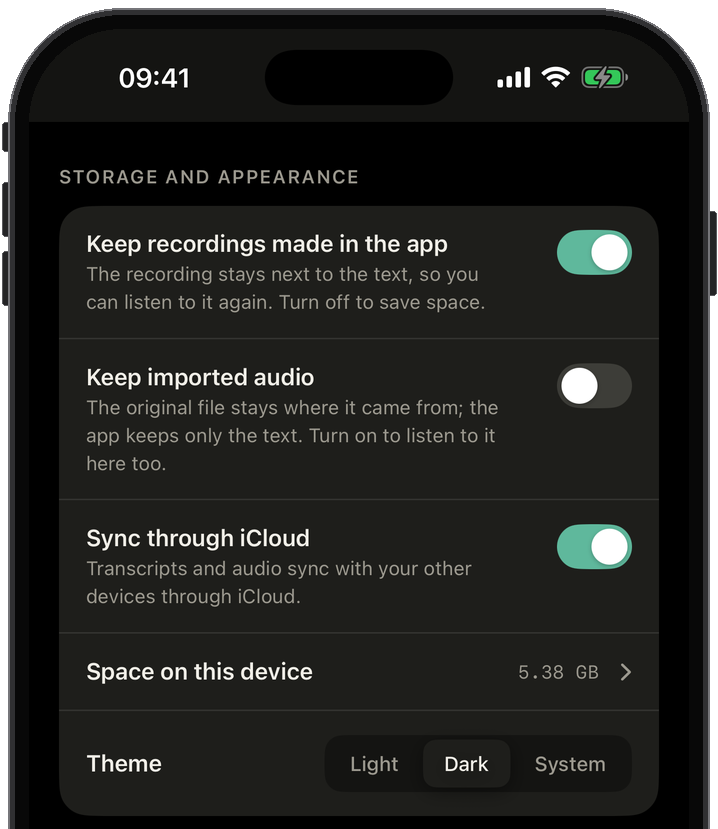
Keep the audio or leave only the text, keep timecodes on or off, choose the speech language, sync or stay on one device.
Auto detection, or pick the language yourself. Two models to choose from: a fast one for 25 European languages and the most accurate one for 99.
A recorder inside the app, or any file: mp3, m4a, wav, mp4. Voice memos, chat voice messages and videos arrive through the Share sheet.
A whole meeting, lecture or interview in one go. Recording keeps going in the background, and the text appears while you speak.
The text comes with punctuation. Turn timecodes on to see at which moment of the recording something was said.
Transcripts and audio move between your iPhone, iPad and Mac through your own iCloud. Or switch it off and keep everything on one device.
Cloud transcription apps send your recording to a server and recognize it there. Slovo recognizes on the device itself. Here is what that changes.
| Cloud service | Slovo | |
|---|---|---|
| Privacy | Promised by policy | Ensured by the device |
| Where speech is recognized | On a server | On your device |
| Where the audio goes | To the service's server | Stays on your device |
| Who can read the text | The service | Only you |
| Account needed | Yes | No |
| Internet needed | Yes | No |
| Where it is stored | In the service's cloud | On your device and in your own iCloud |
Tap the button and talk. Or hand a file over from Voice Memos, Files, Photos or any app with a Share button.
Text appears while the recording is still running. The recording keeps going even when the app is in the background, and Slovo finishes the last part right after you stop.
Copy it as plain text, or share it as a .txt file to a messenger, mail or Files. The recording stays next to the transcript for as long as you want.
Okay, let's start with the budget. Last quarter we spent less than planned on hardware, so there is room for the new microphones.
00:41Second point, the release date. Marketing asks for the third week of October. Engineering says it is realistic if we freeze the feature list this Friday.
Download it and use it with no sign-up: every feature is available right away. When you need more, Slovo Pro removes the limits on how much audio is recognized.
The details and what is left this month are shown in the app.
Prices in your currency are shown in the app. Cancel anytime in your App Store settings.
The speech model is downloaded once. Then it works anywhere, even without a signal.